Open source · macOS · MIT
Streamglass.
A debugging proxy for mobile apps, built for live event streams.
Capture HTTP and HTTPS from phones, simulators and Mac apps. Watch SSE events as they arrive, pause any flow to edit it, and let your AI agent see the same traffic once you turn that on.
Built for live event streams
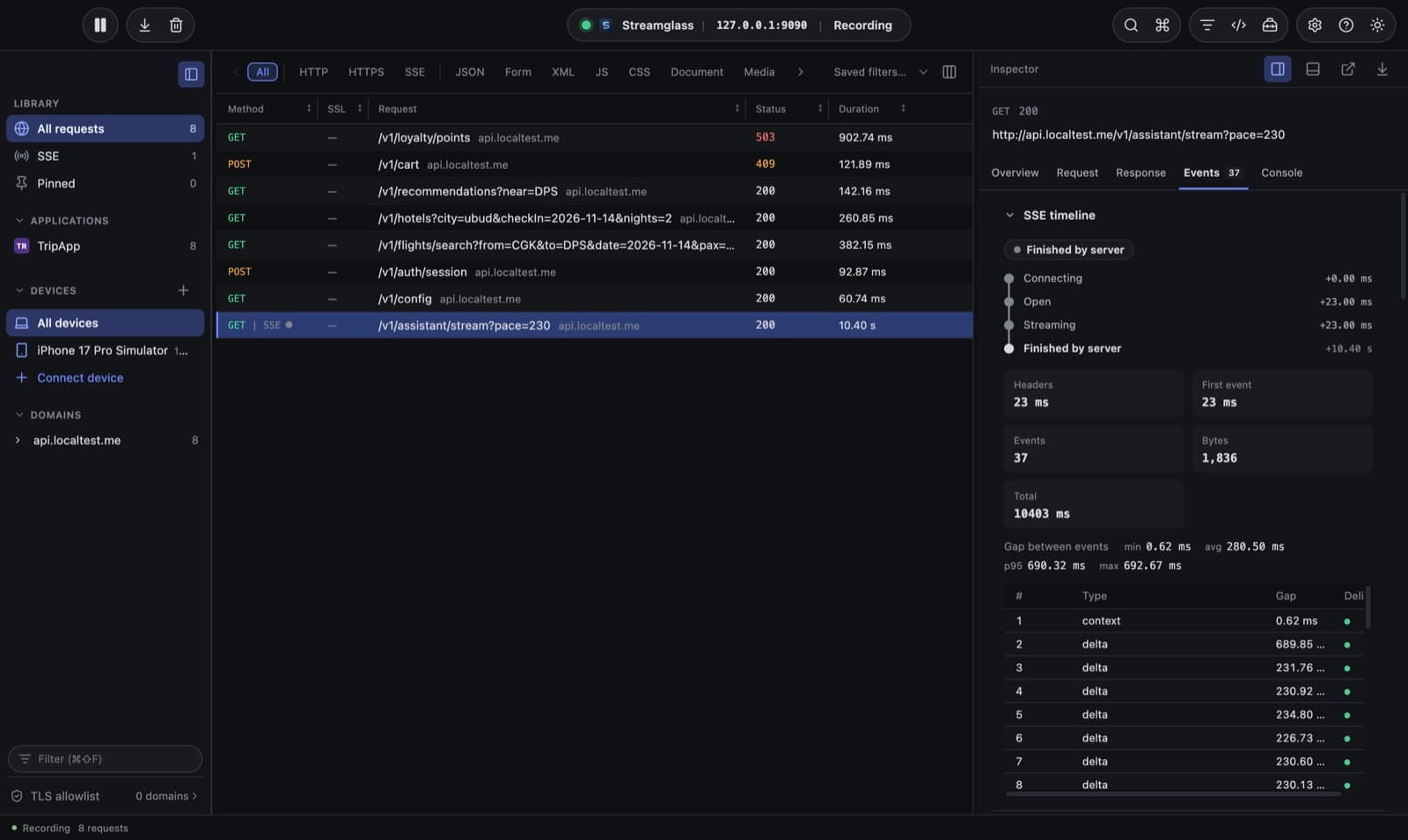
Server-sent events are first class. Watch each event arrive, see the gap since the last one, and know exactly how a stream ended.
- Connecting → open → streaming → how it ended, with timings
- Gap statistics and a delivery mark on every event
- Finished by server, dropped, or disconnected by the client
Pause it. Change it. Continue.
Breakpoints hold a request, response or a single SSE event so you can edit it in a full JSON editor before it reaches the app. Untouched JSON keeps its original bytes.
- Requests, responses and individual events
- One window for every paused flow
- Rules live in folders you drag to reorder
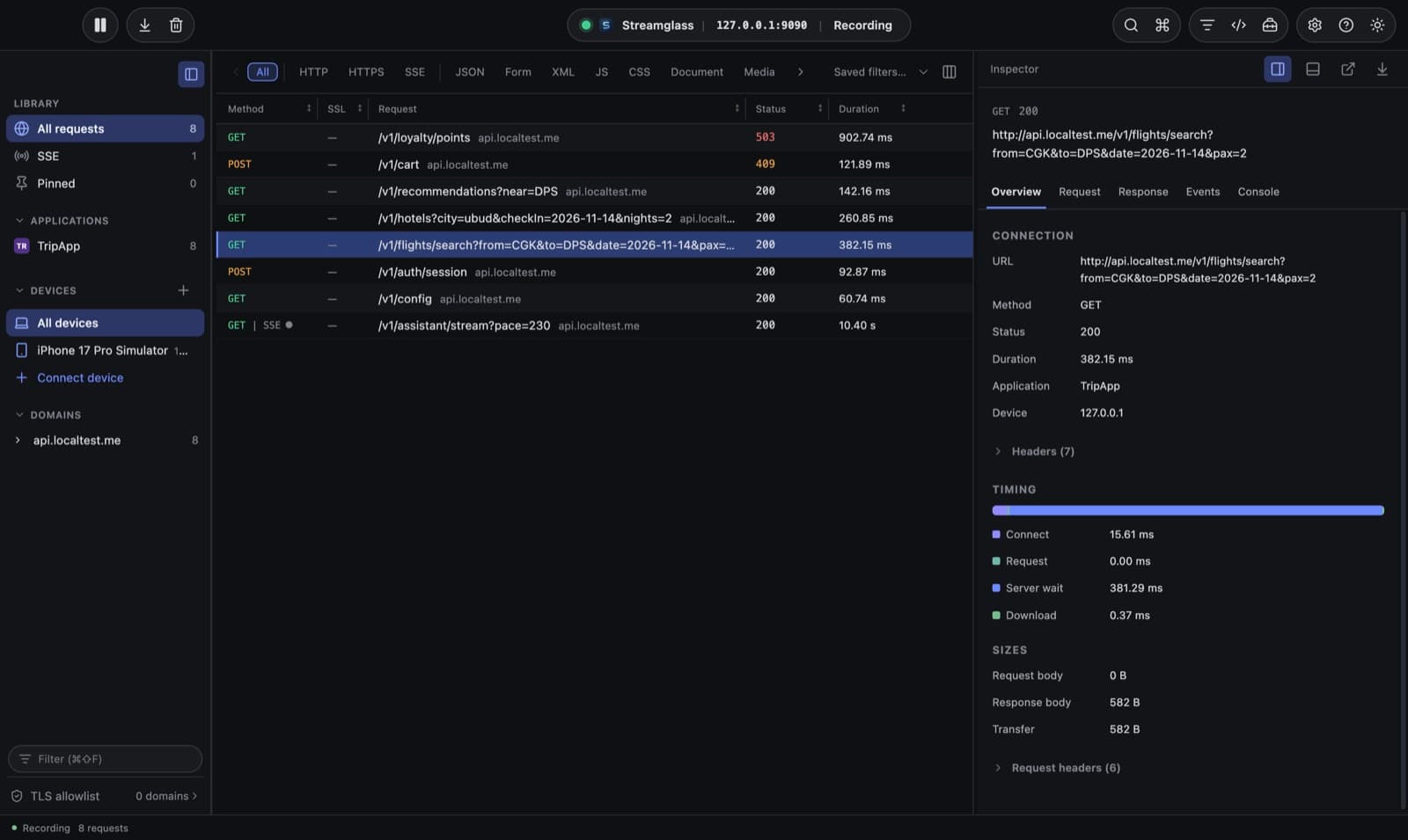
Know where the time went
Every capture splits into connect, TLS, request, server wait and download, so a slow screen points at the network or the backend.
- Server time apart from transfer time
- Request and response sizes
- Sort and filter by server time
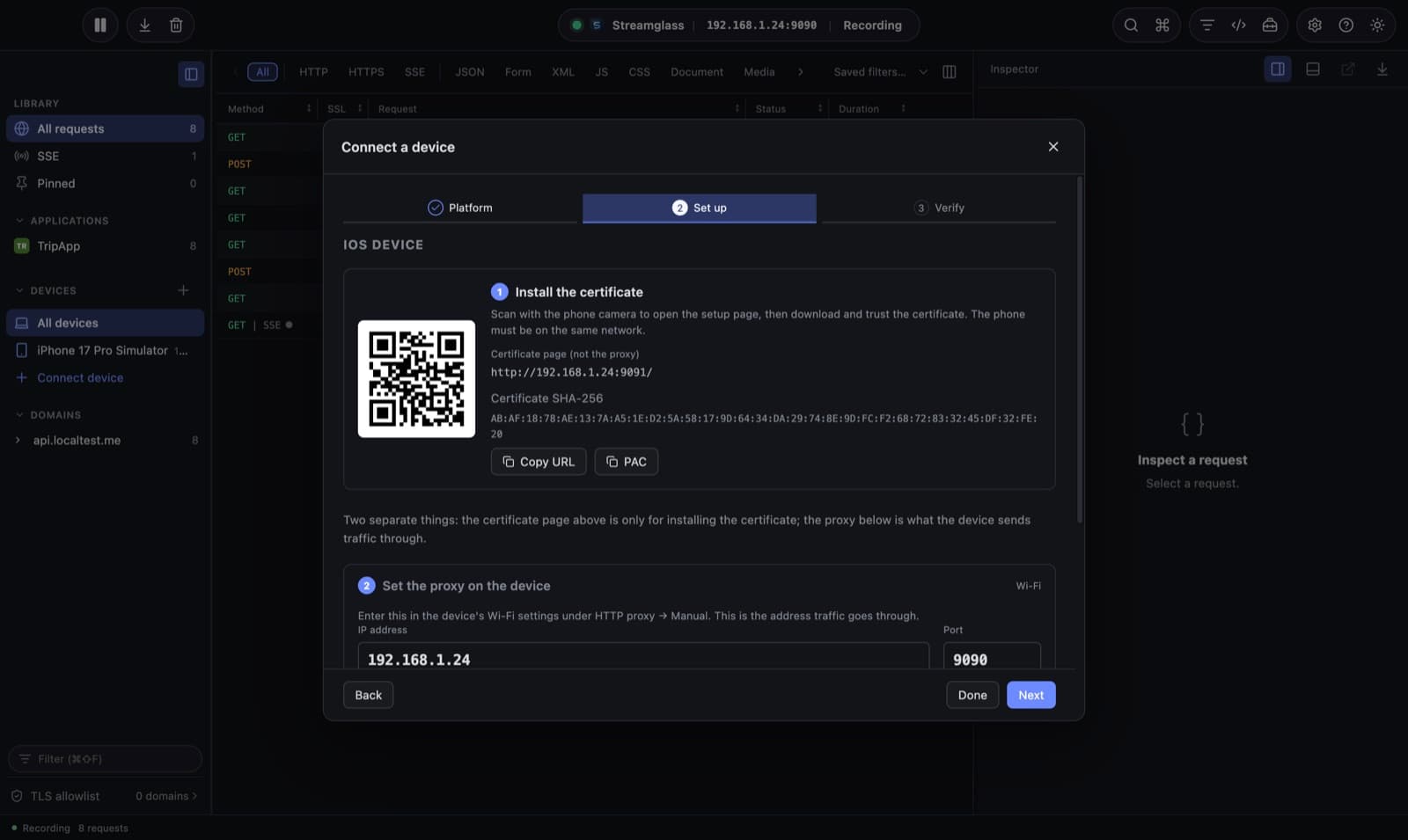
Phones in three steps
Scan a QR code to install the certificate, set the proxy address shown next to it, then approve the phone when it first connects. iOS, Android, simulators and emulators.
- Auto-proxy file falls back to direct when Streamglass is closed
- adb reverse for USB and React Native
- New devices wait for your approval, which lasts 7 days
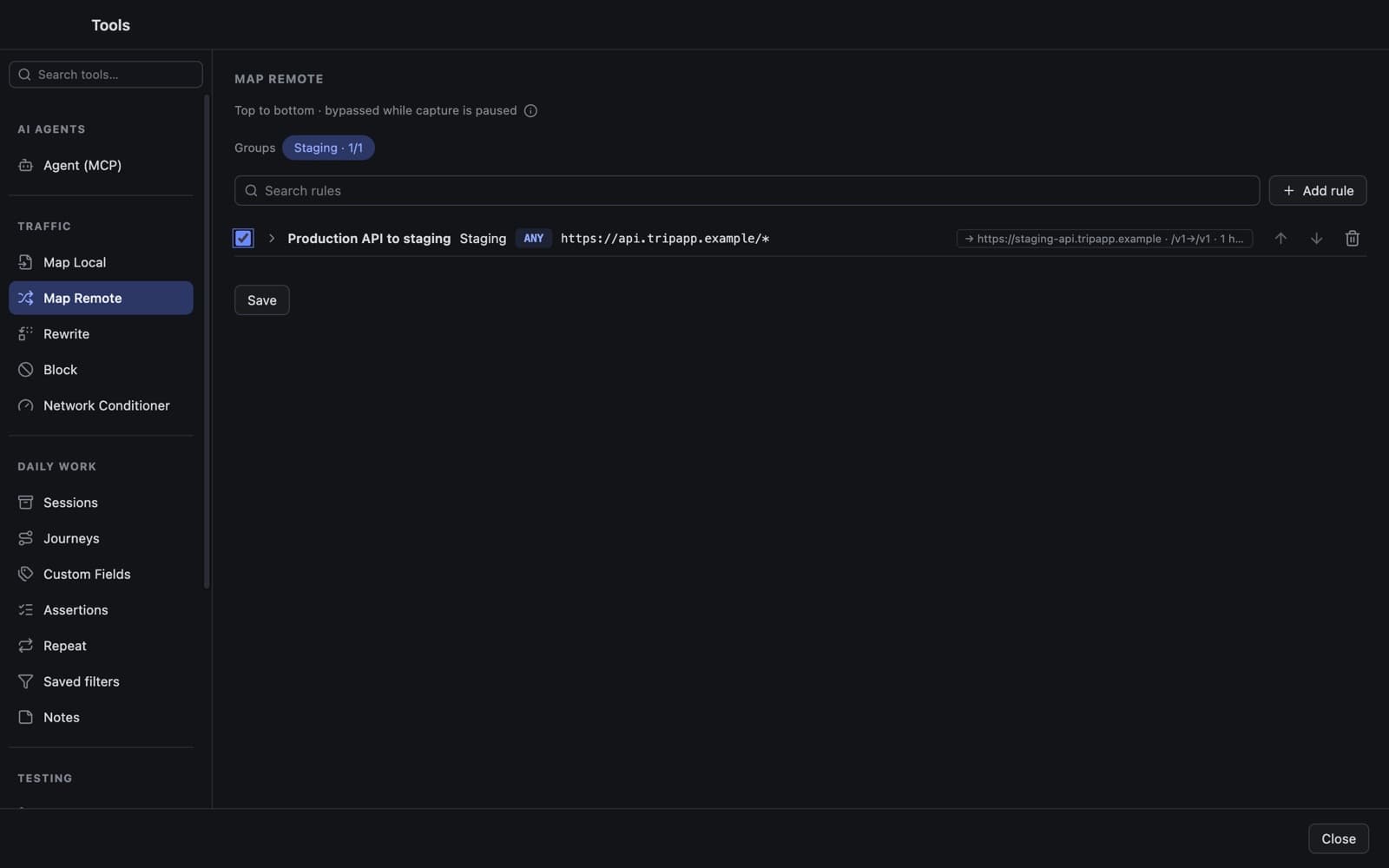
Point traffic anywhere
Map production to staging with its own session, rewrite headers and status codes, serve local files, block hosts and slow the network down.
- Map Local, Map Remote, Rewrite and Block
- Groups and folders you switch on and off together
- Network conditioning per flow
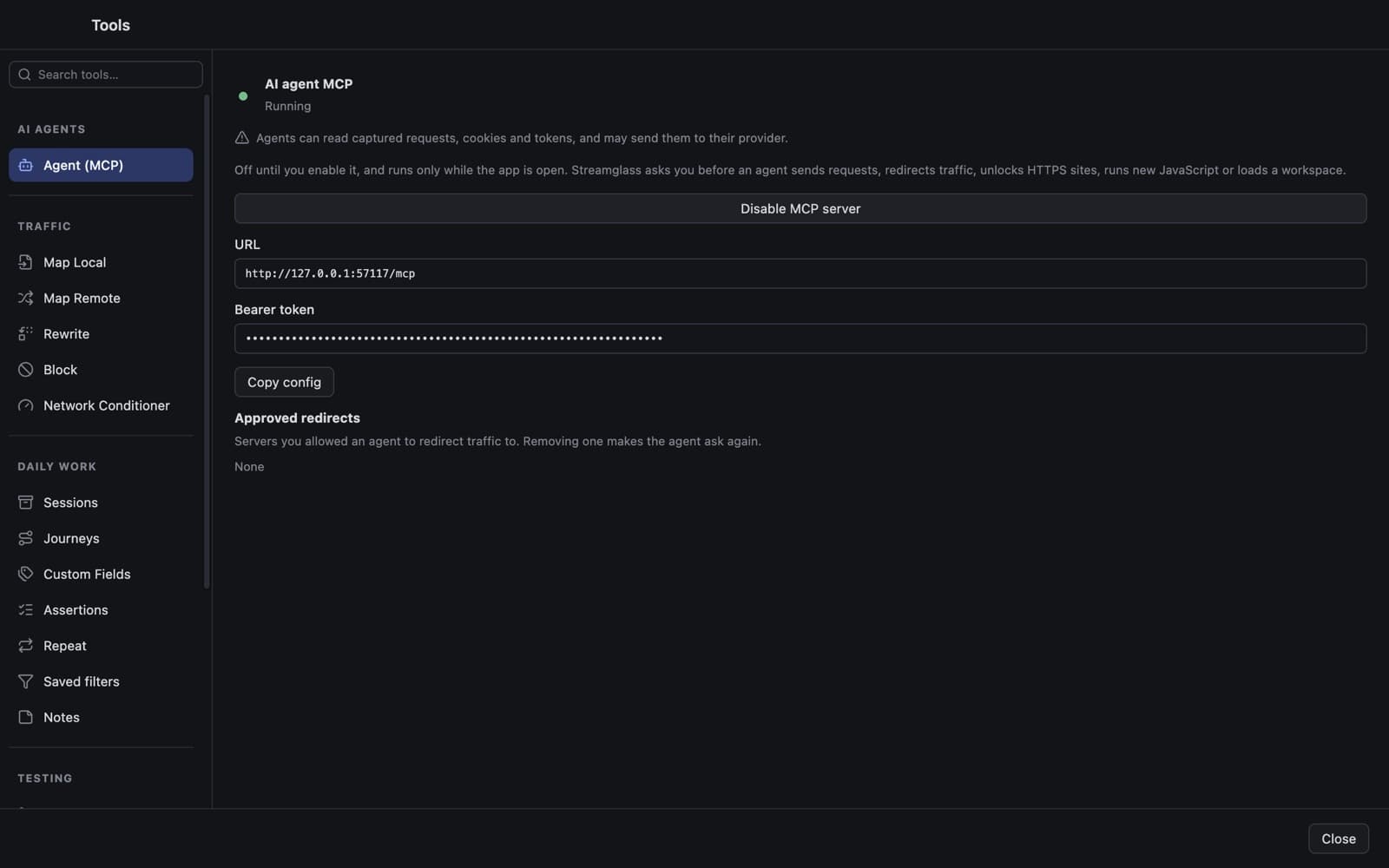
Your AI agent can see it too
A local MCP server lets coding agents list captures, read timings, watch SSE events live and manage rules, using the same engine as the app.
- 75 tools, off until you turn the server on
- Sending requests or redirecting traffic waits for your approval
- Live SSE notifications while the app is open
And the daily tools
Scripts
JavaScript hooks that rewrite requests, responses and events, written in a full code editor.
Sessions
Save captures as archives and reopen them later.
Compare & replay
Diff two captures, then edit and resend one.
Mocks
Turn a capture, including a timed SSE stream, into a fixture.
Custom fields & assertions
Show JSON values as table columns and check every response.
Codecs
Decode app-specific encrypted bodies for inspection.
Download
For Apple silicon Macs. Streamglass is free and runs entirely on your Mac; captures never leave it.
Install with one command
Asks where to install (Applications, ~/Applications for managed Macs, or any folder), checks the download's checksum and opens the app. Run it again to update.
curl -fsSL https://salomo.dev/streamglass/install.sh | bashDownload the app
Get the DMG or ZIP from the latest release. Builds are not notarized yet, so macOS asks you to approve the first launch in System Settings → Privacy & Security.
Latest release ↗Run from source
Needs Node.js 22.12+ and Python 3.12+. The launcher installs dependencies, starts the engine and UI, and opens the app.
git clone https://github.com/salomohutapea/streamglass && cd streamglass && npm run devContribute
Streamglass is MIT licensed. Bug reports, ideas and pull requests are welcome.
Open an issue
Include the app and macOS versions, the device, and a small synthetic reproduction. Never attach real tokens or captures.
New issue ↗Fork and branch
Work on a branch in your fork. Start with the development guide and the architecture notes for the area you change.
Development guide ↗Open a pull request
Describe the problem, the new behavior and the checks you ran. The Test check must pass and a code owner reviews it.
Contributing guide ↗